Search by meaning
Find text by the idea you remember, without having to remember every word.
Your Mac usually remembers only the last thing you copied. Cliphoard keeps a history of text, links and images, so you can find something you copied earlier and paste it again.
A complete, free clipboard manager for Mac. Clipboard search stays on your Mac. Optional AI-agent sharing is your choice.
New in 1.0.3 · Pro Search images, audio and video on your Mac.Download and unzip the archive, move Cliphoard to Applications, and open it there. Release notes and checksum.
Copy as usual.
Find it again here.
A useful link.
A line you love.
A passing thought.
Remember the idea,
even when the exact
words escape you.
Bring it back
to the thing
you’re making.
Open Cliphoard with ⌃⌥⌘V, choose a clip, and paste it where you need it.
I kept going back to things I’d copied, and getting frustrated when I couldn’t find them. So I built something I could search properly, and enjoy using every day.
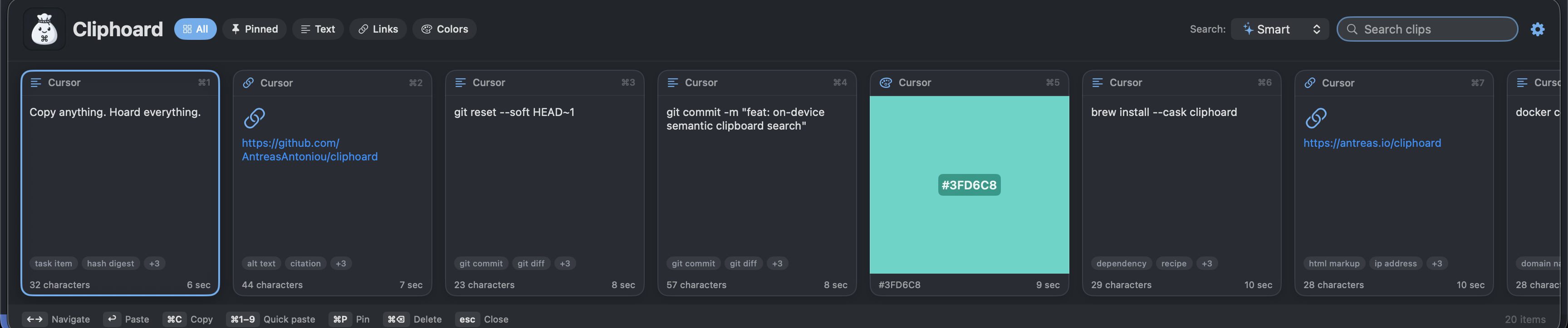
Try a search in this interactive example. In the app, semantic text search helps you rediscover a clip from what it means.
This is a sample preview. It doesn’t read your clipboard.
Find text by the idea you remember, without having to remember every word.
Pin your regulars. Choose unlimited history when you want to keep everything.
Keep pictures alongside text and links, in the theme and layout that suit you.
Capture and search run on your Mac. Use encrypted export and import when it’s time to move.
Multimodal search · Pro
Pro searches the content of your media locally, including text recognised inside screenshots.
Sometimes you remember what was in a picture, but have no idea what it was called. Pro lets you describe it. If it was a screenshot with text, you can search those words too, or use an image to find visually similar clips.
For recordings, search what was said or what happened in the scene. Audio, speech and video search are still in beta: Cliphoard samples the media, so a very brief sound or moment can be missed.
Processing settings
Start with Balanced, or choose Lightweight for less processing and Detailed for denser sampling. Speech coverage is a separate choice: short samples or a fuller transcript.
Sampling can miss brief moments. More coverage takes more time and storage.
Choose your models in the app. Download them from Hugging Face, follow their preparation progress, then search on your Mac. Model weights are downloaded separately.
Model downloads need internet access. Your media and transcripts stay on your Mac.
Pro adds local image search and OCR. Audio, speech and video search are included as beta features in 1.0.4; sampling can miss brief moments.
Compare Free and ProFree is a complete clipboard manager. Pro adds image intelligence, with audio and video search now in beta.
The complete clipboard manager I wanted, with search by meaning included.
Search the content of pictures, screenshots and recordings as well as your text.
£10 once. No subscription.
Free stays fully usable without Pro.
Including tax. For all your personal Macs; approve each new Mac by email.
The entire application codebase, including Pro, is MIT licensed. All downloadable models are available under open-source licences: MIT or Apache 2.0. Each model keeps its own licence and attribution; Cliphoard’s MIT licence does not replace them. See the model licences.
I’m Antreas, an engineer and scientist, and I make Cliphoard through my company, A² Labs. Over the last 15 years I’ve learned that the things I copy often turn out to be useful again. Clipboard managers helped me keep them, but finding them was another matter. The ones I tried were difficult to search, ugly, or missing features I wanted. So in July I started building my own.
I liked it enough to uninstall the others. Friends and colleagues started asking for it, and that’s how Cliphoard became something I wanted to share with the world.
Buying Pro also helps fund my independent AI research at A² Labs. I’m working on making persistent memory, biologically inspired learning algorithms and multimodal world models first-class parts of these systems. I want models that can keep learning from experience, remember what matters, and use what they see and hear to understand what might happen next.
That work needs time and compute. Selling useful software is how I’m trying to make room for it.
If Cliphoard has been useful to you, you can also support me directly. It helps me keep building open-source tools and exploring independent AI research.
Choose your amount on GitHub. Optional support, separate from Pro and the software-sales goal.
The goal is to fund time and compute for this independent research. Further proceeds would support more work.
Sales total not available yet.
The goal is US$250,000.
A combined total appears here once reconciled reports covering the same period exist for both channels.
Published from reconciled provider reports. All figures in US dollars.
Provider-reported net sales proceeds across the Apple App Store and Stripe Managed Payments, in US dollars: after customer taxes, platform and payment fees, refunds, chargebacks and reported adjustments, and before income tax and running costs.
Reconciliation is monthly. The total moves when a report lands, rather than as a live stream, and refunds can take it down. It is not a current bank balance. Unavailable does not mean zero.
Buying Cliphoard buys the software. Optional personal support through GitHub is separate and is excluded from this software-sales goal.
Model licences
Cliphoard’s downloadable models use the permissive open-source licences below. Model weights are downloaded from Hugging Face when you choose them and prepared locally. They are not bundled in the app.
Links lead to the model repositories and their licence information. Converted models retain the original terms and attribution. Apple’s built-in text recognition is a macOS framework, not one of these downloadable models.
The complete feature menu
Explore the everyday tools and the protections behind them. Everything below is included in Free, except the optional Pro image and multimodal tools. Audio and video features marked beta are available in the Direct edition and may have limitations.
Encryption protects stored content; it cannot protect an unlocked or compromised Mac. Read the privacy details or inspect the open-source code.